
We are pleased to announce the availability of an enhanced stop locality display configuration. This update lets you opt in to display more location data alongside stop common names across apps and websites, giving customers more context about the location of stops.
Overview of changes
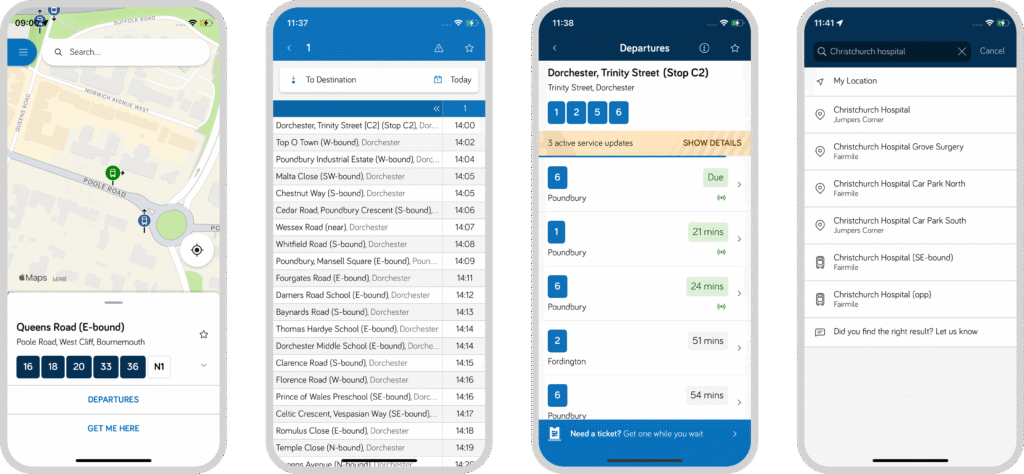
Stops are displayed slightly differently across different touchpoints depending on the context. Below is an overview of how stop information changes with the enhanced configuration enabled across those different touchpoints.
| Feature | Standard Display | Enhanced Display |
|---|---|---|
| Timetables | Common Name e.g., Christchurch Hospital | Common Name + Indicator + Locality e.g., Christchurch Hospital (SE-Bound), Fairmile |
| Explore Map & Departure Boards | Common Name + Indicator e.g. Christchurch Hospital (SE-Bound) | Common Name + Indicator Street + Locality + Parent Locality e.g. Christchurch Hospital (SE-Bound) Fairmile Road, Fairmile, Christchurch |
| Stop Search Results | Common Name + Indicator Locality e.g. Christchurch Hospital (SE-Bound) Fairmile | Common Name + Indicator Street + Locality + Parent Locality e.g. Christchurch Hospital (SE-Bound) Fairmile Road, Fairmile, Christchurch |
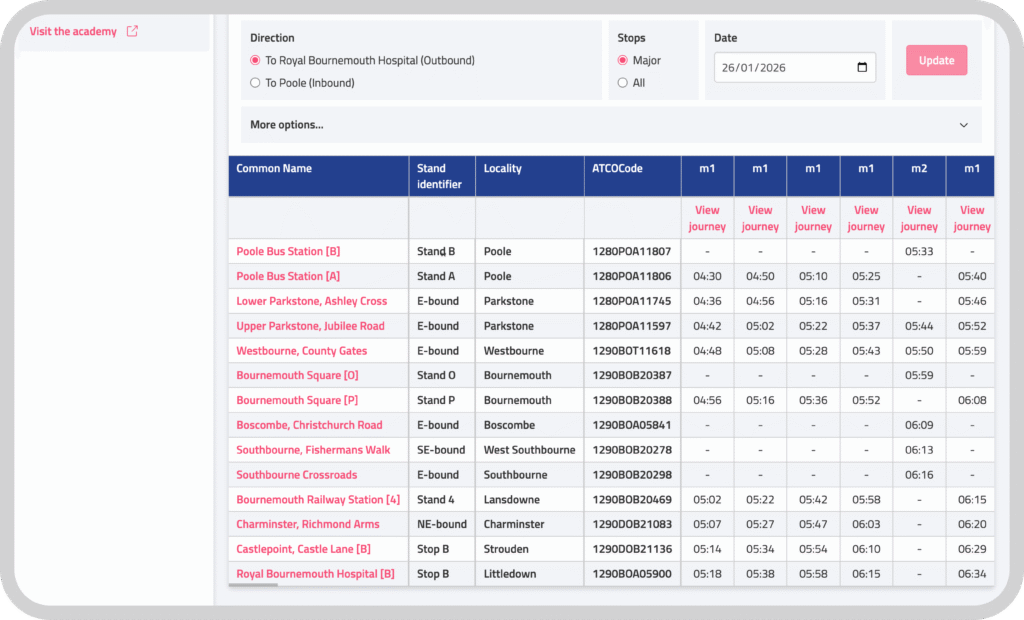
The stop attributes are derived from a combination of your uploaded TransXChange and NaPTAN. To make it easy to preview the data, we have updated Passenger Cloud to include a stand identifier and locality as separate columns when previewing a Timetable in a dataset. We know that in some cases, more information might have been added to the ‘Common Name’ by upstream processes, meaning that you might not want to enable this feature because it will result in duplicate information being presented to customers.
Ready to make the switch?
This is available now. If you would like to enable the enhanced stop configuration please get in touch.